roadnavier
Acura TSX 2009–2014 Android Screen | Wireless CarPlay & Android Auto
Acura TSX 2009–2014 Android Screen | Wireless CarPlay & Android Auto
Couldn't load pickup availability
Before you buy
Before you buy
Please confirm your vehicle year, original dashboard layout and factory audio system before ordering. If you are unsure, use the online chat button and send clear photos of your original screen and controls.
Read the full compatibility check →
Shipping & Delivery
Shipping & Delivery
Free shipping is available to most U.S. addresses.
A US$70 surcharge may apply to carrier-designated remote or extended-area addresses. We will contact you for approval before dispatch.
[Read full shipping policy →]
Warranty & Returns
Warranty & Returns
One-year limited warranty for confirmed non-human-caused hardware faults.
We provide remote diagnosis first, then replacement parts, repair or replacement where appropriate.
Returns require prior approval. Unused and uninstalled products may be returned within 30 days of delivery. Installed or used products cannot be returned because of a change of mind.
Modern CarPlay & Android
Without Replacing Your Factory Head Unit
Upgrade your Acura TSX with a modern touchscreen, Wireless Apple CarPlay and Android Auto while keeping the original head unit and factory audio system in place.
Which Factory Dashboard Do You Have?
The 2009–2014 Acura TSX came with three factory dashboard configurations. Match your dashboard below to choose the correct version.

Small Upper Display
If your original dashboard looks like this, choose Standard Version.

7" Factory Display + 6-Disc Changer
If your original dashboard has this 7" display and 6-disc changer, choose Standard Version.

7" Factory Navigation System
If your TSX has this original factory navigation system, choose Factory Navigation Version.
7" Display + 6-Disc Changer → STANDARD
7" Factory Navigation → FACTORY NAVIGATION
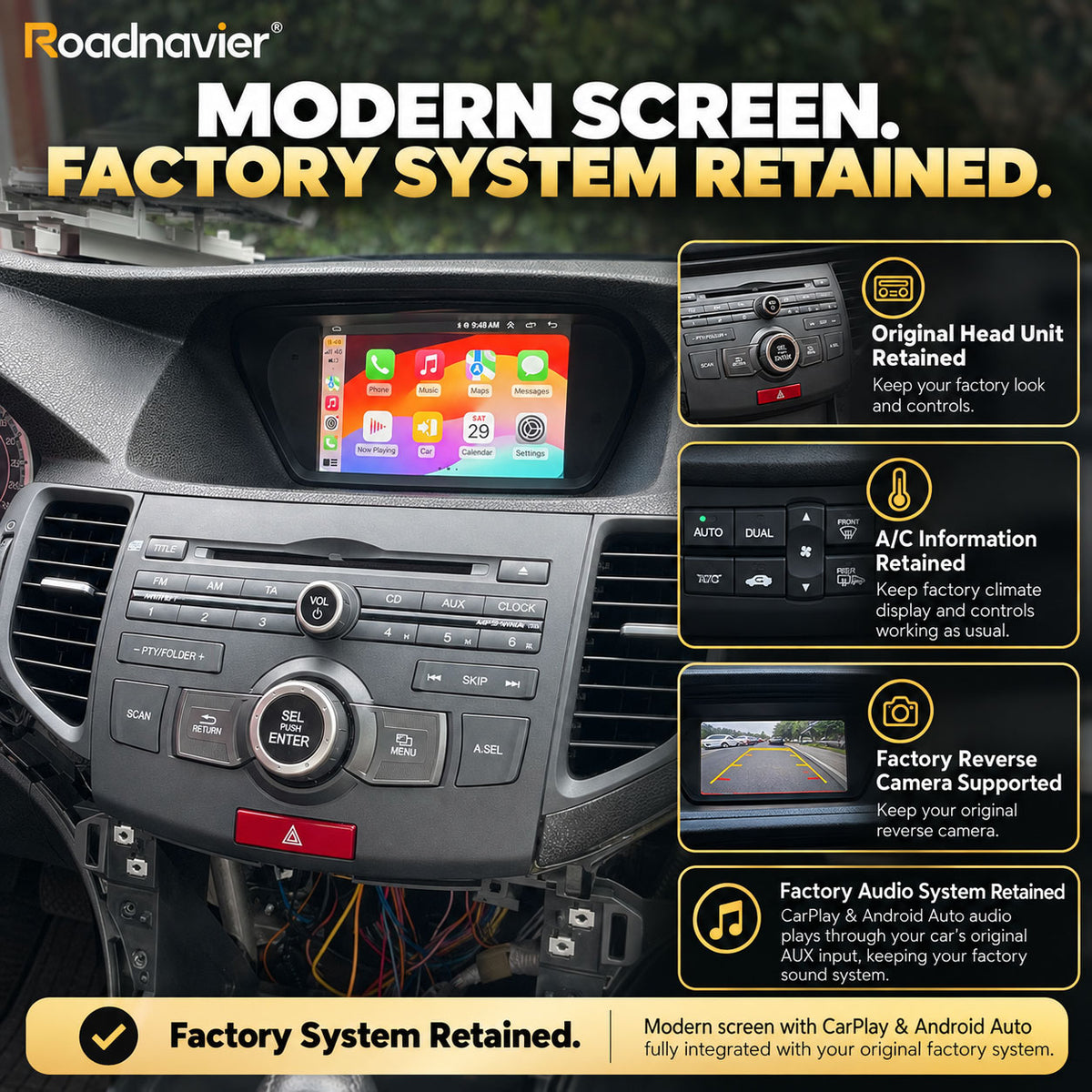
Factory Retain
✓ Factory Head Unit Stays in the Car
This system does not replace the original Acura head unit. Your factory radio/audio system remains installed and continues to handle the vehicle's original audio functions.
✓ Works With the Factory Audio System
Android and CarPlay audio is routed through the vehicle's original AUX input and played through the factory audio system.
To hear Android or CarPlay audio, select AUX as the audio source on the factory system.
✓ A/C Information Is Retained
You do not lose your climate-control information after the upgrade. A/C status and temperature information continue to be displayed through the system.
✓ Factory Reverse Camera Supported
If your TSX is already equipped with an original reverse camera, the factory camera can be retained with the correct vehicle configuration.
✓ Steering Wheel Controls Retained
Common steering-wheel audio controls such as volume and track selection remain available after installation.
Features
Wireless Apple CarPlay & Android Auto
Connect your phone wirelessly and use familiar apps for navigation, music, calls and messaging directly from the touchscreen.
Google Maps, Waze & More
Use navigation through CarPlay or Android Auto, or run compatible Android navigation apps directly on the unit.
Wi-Fi & 4G Connectivity
Connect through Wi-Fi or use a supported SIM card for mobile data, allowing compatible Android apps to access the internet without relying solely on your phone screen.
Left-Hand Drive or Right-Hand Drive?
Both are supported.
FAQ
My TSX has factory navigation. Will this fit?
Yes. Factory-navigation models are supported. Select the Factory Navigation Version when ordering.
What happens to my original Acura head unit?
It stays in the vehicle. The Android screen works alongside the original head unit rather than replacing the complete factory audio system.
Will I lose the A/C display?
No. Climate-control information continues to be displayed after the upgrade.
Can I keep my factory reverse camera?
Yes. The original reverse camera is supported with the correct vehicle configuration.
Does it work with both LHD and RHD cars?
Yes. Both left-hand-drive and right-hand-drive configurations are supported.
I don't know which dashboard version I have. What should I do?
Standard Version — Small Display / 6-Disc
Factory Navigation Version — OEM Navigation