Roadnavier
Nissan Murano Z51 | 2008–2016 | 7" Android Screen — Wireless CarPlay & Android Auto
Couldn't load pickup availability
Roadnavier Android Head Unit for Nissan Murano Z51 (2008–2016)
Wireless CarPlay · BOSE-Ready · Zero Wire Cutting
The only head unit pre-configured for both BOSE and non-BOSE Murano variants — plug in, drive smarter.
Check Compatibility on WhatsApp Email UsThe Roadnavier Android head unit for the Nissan Murano Z51 (2008–2016) is a direct-fit aftermarket infotainment replacement designed to add wireless Apple CarPlay, Android Auto, and Android-based navigation to the factory double-DIN slot. The unit ships with BOSE-matched and non-BOSE wiring harnesses, a vehicle-specific CANBUS module for steering wheel control retention, and pre-configured audio output to prevent the no-sound issue common with generic head units in BOSE-equipped Muranos. Installation requires no permanent wiring modification.
⚠️ Step 1 Before You Order: Identify Your Trim
The Nissan Murano Z51 was sold in two distinct dashboard configurations — Base Trim and Premium Trim. These trims use different wiring harnesses and different CANBUS modules. Installing the wrong harness will result in non-functional steering wheel controls, audio errors, or climate display issues. Check your dashboard against the photos below before placing your order.
Base / S / SV Trim Dashboard
- Standard single-zone climate controls
- Basic center console layout
- Non-BOSE audio system (standard speakers)
- Simpler steering wheel button cluster
SL / LE / Premium Trim Dashboard
- Dual-zone automatic climate controls
- Premium center console with extra buttons
- BOSE surround sound system
- Extended steering wheel controls (audio + phone)
Wrong trim = wrong harness = broken functions. If you are not 100% sure which trim you have, do not guess. Send us a photo of your dashboard or your VIN via WhatsApp before ordering — we will identify the correct harness for you at no charge. This takes 5 minutes and prevents every common installation problem.
→ Send Dashboard Photo on WhatsApp
Why the Z51 Murano Upgrade Goes Wrong — and How We Fixed It
The Murano Z51's BOSE system runs on a separate amplifier that most generic Android units don't know about. The result: silent speakers, furious owners. Here's the comparison.
No Sound After Install
Generic units send audio directly to door speakers — bypassing the BOSE amp entirely. You get a beautiful screen and zero audio.
BOSE Amp Preserved
Pre-wired to route audio signal through the factory BOSE amplifier. Full sound, full bass, zero surprises.
Steering Wheel Buttons Dead
No CANBUS module means your volume and track controls become decorative plastic.
All Controls Retained
Murano-specific CANBUS interface maps every original steering wheel function to the Android system out of the box.
AC Controls & Climate Errors
Wrong CANBUS data disrupts the dual-zone climate display on units that share the screen with HVAC.
OEM Climate Unchanged
HVAC control data is isolated. Your climate panel behaves exactly as factory — no error codes, no guessing.
Laggy UI, Random Reboots
Budget chipsets running CarPlay at the limit produce slow response and unstable sessions.
Octa-Core, Smooth & Stable
8-core processor with 6 GB RAM runs wireless CarPlay and background navigation simultaneously without stuttering.
Technical Specifications
| Screen Size | 9.0 inch IPS (Double-DIN direct fit) |
| Resolution | 1280 × 720 px |
| Processor | Octa-Core 1.8 GHz |
| RAM | 6 GB |
| Storage | 128 GB internal |
| Operating System | Android 13 |
| Apple CarPlay | Wireless (no cable needed) |
| Android Auto | Wireless |
| Bluetooth | 5.0 (calls, audio, contacts) |
| Wi-Fi | 2.4 GHz + 5 GHz dual-band |
| GPS | Built-in, supports Google Maps / Waze / offline maps |
| CANBUS | Trim-specific module (Base or Premium — selected at order) |
| BOSE Output | Dedicated BOSE harness (Premium Trim); standard harness (Base Trim) |
| Backup Camera | Reverse-trigger input included; OEM camera retained |
| USB Ports | 2 × USB-A + 1 × USB-C |
| DAB+ Radio | Optional add-on module |
| Power Input | 12V DC (vehicle standard) |
Fitment Compatibility
Compatible with all Nissan Murano Z51 years. Harness type is determined by your trim level — verify using the dashboard photos above before ordering.
| Year | Trim | Audio System | Harness Required | Fitment |
|---|---|---|---|---|
| 2008–2016 | S / SV (Base Trim) | Non-BOSE | Base Harness + Standard CANBUS | Direct Plug-In |
| 2008–2016 | SL / LE (Premium Trim) | BOSE | Premium Harness + BOSE CANBUS | Direct Plug-In |
| 2015–2022 | Z52 (3rd Gen, new body) | — | Different platform | Contact us to verify |
| 2008–2014 | CrossCabriolet | — | — | Contact us to verify |
Installation Overview
Estimated time: 60–90 minutes. DIY-friendly — no soldering, no wire cutting. A basic pry tool kit is all you need.
Confirm Your Trim Before Starting
Cross-check your dashboard against the Base / Premium trim photos above. Locate the correct labeled harness in the box (Base or Premium). Do not mix them up.
Remove the Factory Head Unit
Use a plastic pry tool to remove the center console trim panel. Four screws secure the factory unit — unscrew and slide it out. Time: ~20 min.
Connect the Correct Harness
Plug your trim-matched harness into the factory wiring connector. Push connectors only — no splicing, no cutting. Time: ~15 min.
Connect CANBUS Module & Reverse Camera
Plug the trim-specific CANBUS module into the harness stack. Connect the factory reverse camera cable to the reverse-trigger input. Time: ~10 min.
Slide In & Test Everything
Slide the Roadnavier unit into the dash cavity. Reattach the trim panel. Power on — verify audio output, steering wheel controls, climate display, and backup camera before driving. Time: ~15 min.
Watch our full installation walkthrough on YouTube @roadnavier — search "Murano Z51 head unit install."
Buy With Confidence
12-Month Warranty
Full hardware warranty from date of delivery. No questions asked on defects.
30-Day Returns
Changed your mind? Unused units returned within 30 days — full refund, no restocking fee.
Ships to US / EU / AU
7–14 business days with full tracking. Express available on request.
Real Install Videos
Every model has a dedicated YouTube installation guide — not render animations, real cars.
Pre-Sale Trim Verification
We confirm your exact Base / Premium trim and harness spec before shipping — free of charge.
Post-Install Support
Our engineers stay online after delivery. Settings help, software updates — we're here.
Frequently Asked Questions
What's the difference between the Base Trim and Premium Trim versions — do I really need the right one?
Yes, absolutely. The Base Trim (S/SV) and Premium Trim (SL/LE) use physically different wiring connectors and CANBUS protocols. Installing the wrong harness will result in dead steering wheel controls, no audio output on BOSE vehicles, or climate display errors. Compare your dashboard to the photos above, or send us a photo and we'll confirm for you before you order.
Does this head unit work with the BOSE audio system in my Nissan Murano Z51?
Yes — if you order the Premium Trim version. The Premium harness routes the audio signal through the factory BOSE external amplifier, preserving full speaker output and bass. The Base Trim version routes audio directly to the speakers. Ordering the wrong harness for a BOSE car is the #1 cause of no-sound issues.
Will my steering wheel controls still work after installing this Android head unit?
Yes. The kit includes a trim-specific CANBUS module that maps all original steering wheel buttons — volume, track skip, phone — to the Android system. No programming required. Make sure you're using the CANBUS module that matches your trim (included in the box, labeled).
What's included in the box? Do I need to buy anything extra?
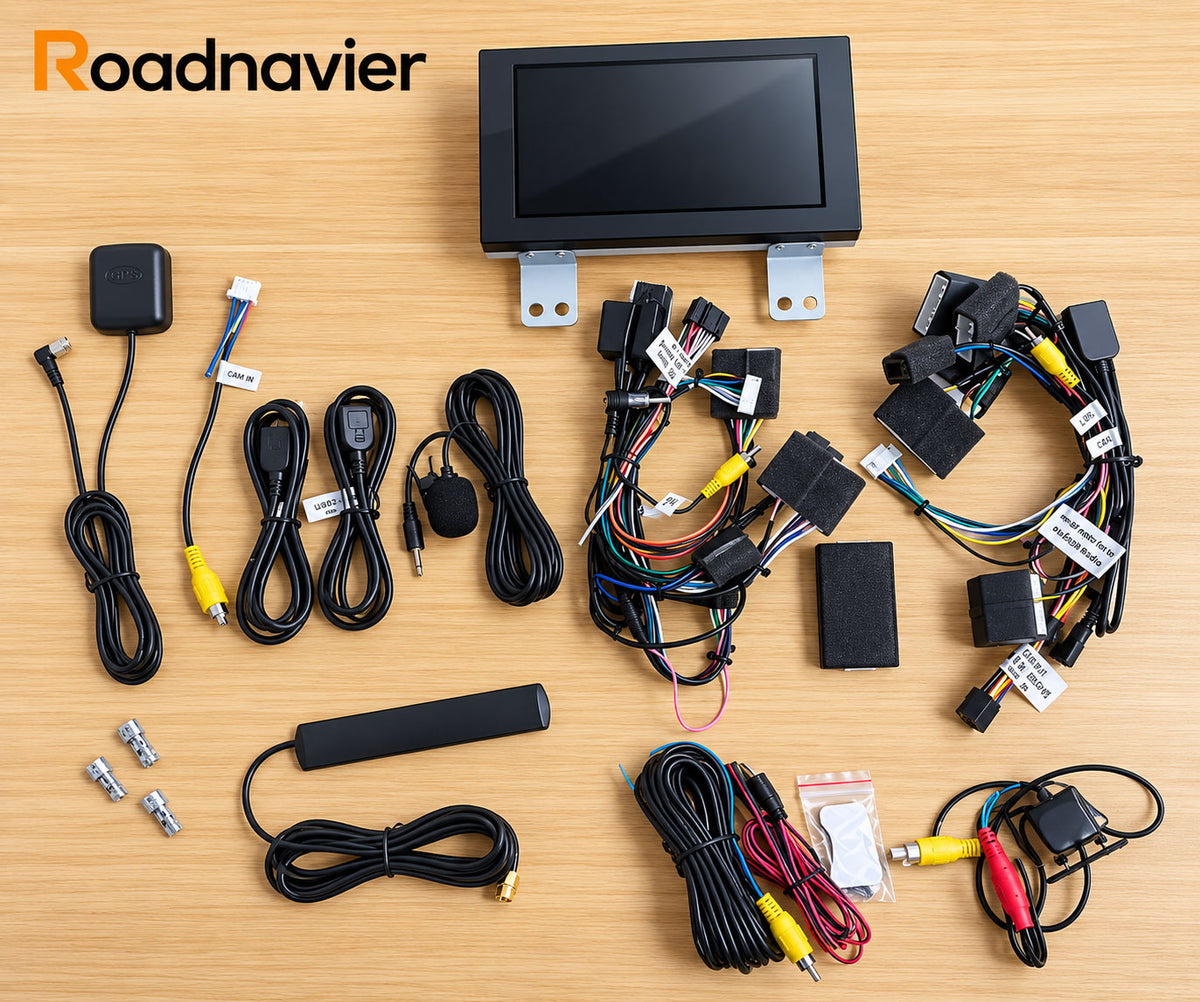
The box includes: Android head unit, Base Trim harness, Premium Trim harness, trim-specific CANBUS module, GPS antenna, microphone, USB extension cable, and all mounting hardware. You do not need to purchase any additional adapters. A plastic pry tool kit is the only extra you might want.
Can I install this myself, or do I need a professional installer?
Most owners with basic DIY experience complete the install in 60–90 minutes. There is no soldering or wire cutting. The most important step is selecting the correct harness before you start — which is why we recommend confirming your trim with us first.
What's the warranty policy and how long does shipping take to the US?
All Roadnavier units carry a 12-month hardware warranty. Returns are accepted within 30 days of delivery for unused units. Shipping to the United States typically takes 7–14 business days with full tracking provided. Express shipping is available — contact us via WhatsApp.