Roadnavier
Ford Explorer 2011–2019 Android 13 12.1” Tesla-Style Screen | Wireless CarPlay + GPS Navigation
Ford Explorer 2011–2019 Android 13 12.1” Tesla-Style Screen | Wireless CarPlay + GPS Navigation
Couldn't load pickup availability
🔧 Features
1️⃣ Next-Gen Android 13 System (8-Core, 4GB RAM + 64GB ROM)
Experience lightning-fast performance with the upgraded 8-core CPU and 4GB RAM + 64GB ROM storage combination.
The new Android 13 system offers smoother multitasking, faster booting, and enhanced app compatibility — giving your Ford Explorer a truly modern driving experience.
2️⃣ Premium Audio & DSP Equalizer
Built-in 32-band DSP and professional EQ tuning ensure studio-quality sound in your Explorer.
Adjust bass, treble, and surround freely for a true in-car concert experience.
3️⃣ Wireless CarPlay & Android Auto
Connect your phone wirelessly to enjoy calls, music, and maps.
Compatible with both iPhone and Android devices.
No cables, no delays — just seamless connectivity.
🚙 Usage Scenarios / Pain Points
Q1: My original radio feels outdated — can I keep my factory controls?
✅ Yes! The Roadnavier head unit retains all OEM functions, including steering wheel control, climate settings, and backup camera.
Q2: I’m not a technician. Can I install it myself?
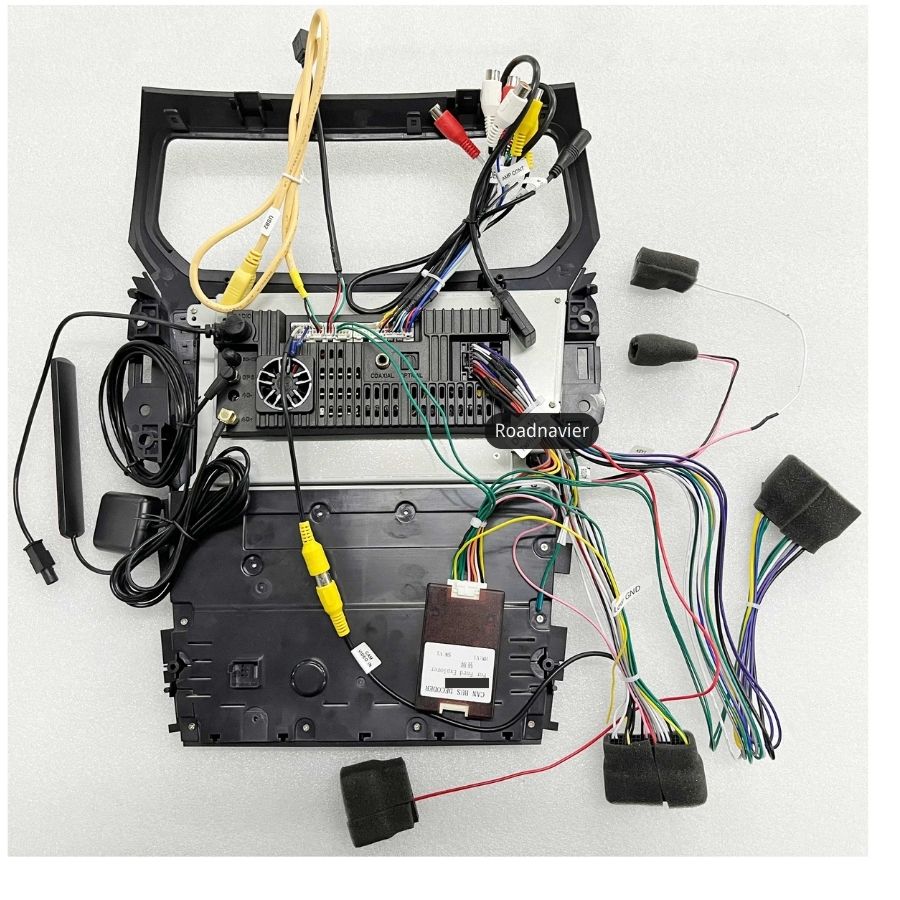
✅ Absolutely! It’s a Plug & Play harness design — no cutting or splicing required. Most customers finish in under 1 hour. (See video guide below)
Q3: My camera image disappears when reversing — what should I do?
🔧 Follow our CANBUS setup guide included in the box or watch our full tutorial video.
📊 [Insert Comparison Table: Old Screen vs. Android 13 Tesla-Style Screen]
❓ FAQ
Q1. How to set up CANBUS?
WiFi → Settings → Factory Settings → Password 8888 → CanBus Debugging → Luzheng → Ford → Choose your Explorer version (Double/Single, Auto/Manual).
Q2. How to switch Fahrenheit/Mile units?
Settings → Factory → Password 8888 → Protocol Parameter Settings → Speed Unit / Temperature Unit.
Q3. Air conditioning not working?
Select the correct version under CanBus Debugging → Ford → Explorer (Double AUTO / Double Manual / Single Manual / Single AUTO).
Q4. Rear camera image missing?
Perform “List Upd” software update and reselect your vehicle model after reaching 100%.
Q5. Where to place the GPS antenna?
Keep it in the glove box for stronger signal.
🚘 Ready to modernize your Ford Explorer?
Click “Buy Now” or chat with us on WhatsApp for installation advice and special offers.
📞 WhatsApp: +86 18033084278
🌐 www.roadnavier.com