roadnavier
9.7" Tesla-Style Android Screen for Nissan Teana J31 / Samsung SM5 SM7 / Maxima
9.7" Tesla-Style Android Screen for Nissan Teana J31 / Samsung SM5 SM7 / Maxima
Couldn't load pickup availability
Before you buy
Before you buy
Please confirm your vehicle year, original dashboard layout and factory audio system before ordering. If you are unsure, use the online chat button and send clear photos of your original screen and controls.
Read the full compatibility check →
Shipping & Delivery
Shipping & Delivery
Free shipping is available to most U.S. addresses.
A US$70 surcharge may apply to carrier-designated remote or extended-area addresses. We will contact you for approval before dispatch.
[Read full shipping policy →]
Warranty & Returns
Warranty & Returns
One-year limited warranty for confirmed non-human-caused hardware faults.
We provide remote diagnosis first, then replacement parts, repair or replacement where appropriate.
Returns require prior approval. Unused and uninstalled products may be returned within 30 days of delivery. Installed or used products cannot be returned because of a change of mind.
Will It Fit My Car?
This system is designed for the J31-platform dashboard used across several Nissan and Samsung models and markets.
- Nissan Teana J31 · 2003–2008
- Samsung SM5 · J31 platform
- Samsung SM7 · J31 platform
- Nissan Maxima · compatible J31-platform versions
Both single-zone and dual-zone automatic climate-control configurations are supported.
Choose Your Factory Display Type
The J31 was produced with different factory displays. Before ordering, compare your original dashboard with the examples below and select the matching display type.
Option 1 · Monochrome Display

Select Monochrome Display if your original center display looks like this.
Option 2 · Other Factory Display

Select Other Factory Display for the other supported factory display configurations. The dashboard above is one example.
What Will I Keep?
The Android upgrade integrates with the vehicle-specific system so the important original functions remain available.
Factory Climate Control
Supports both single-zone and dual-zone automatic climate-control configurations through the vehicle-specific integration.
Factory Bose Audio
Compatible configurations can retain the original Bose amplifier and factory audio system.
Steering Wheel Controls
Original steering wheel audio controls remain available after installation.
Factory Reverse Camera
Compatible factory reverse-camera configurations can continue to display automatically when reverse is engaged.
What Does the Upgrade Add?
9.7" Tesla-Style Display
Replace the dated center display with a vertical 9.7-inch IPS touchscreen designed around the J31 dashboard.
Wireless Apple CarPlay & Android Auto
Use navigation, music, calls and supported smartphone apps wirelessly from the new display.
32-Band DSP
Built-in digital sound processing provides detailed EQ adjustment for more control over the vehicle's audio.
Android Apps, GPS & 4G LTE
Use compatible Android apps, online navigation and media directly from the head unit through Wi-Fi or supported 4G mobile data.
How Is It Installed?
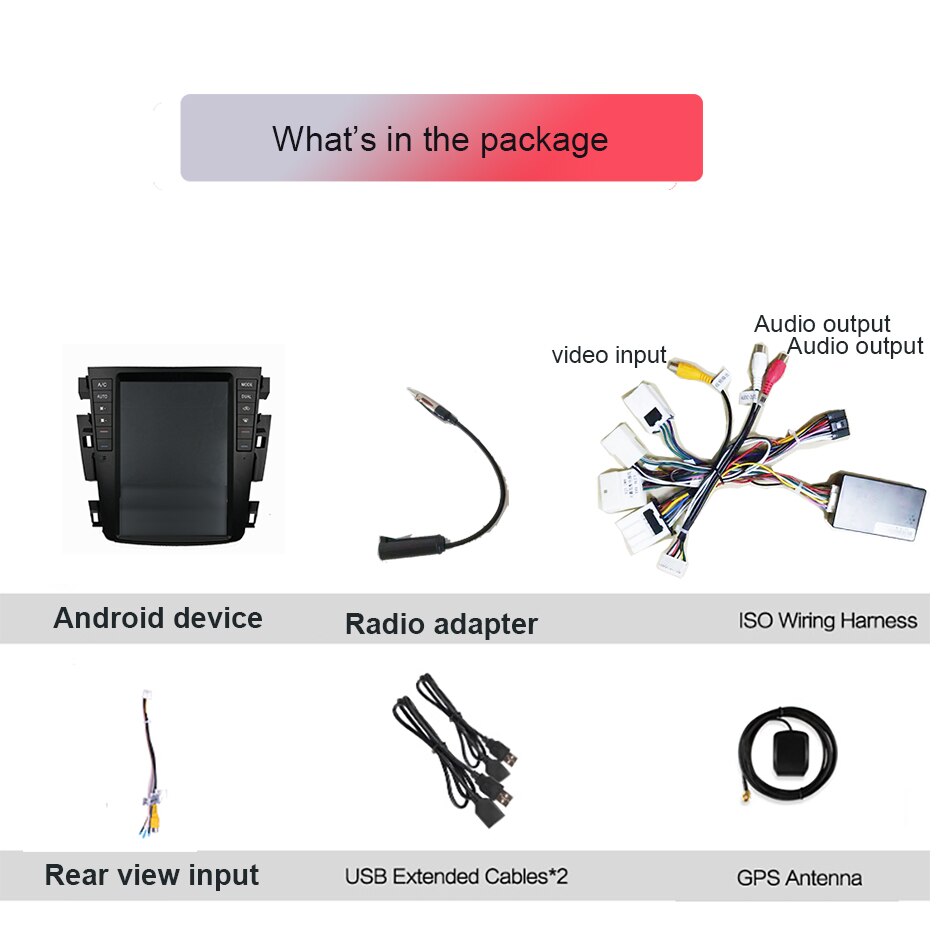
Vehicle-specific wiring is supplied for the J31 platform. Normal installation does not require cutting the factory wiring.
Remove the original center trim and factory head-unit assembly.
The wiring harness is selected according to the factory display type shown above. Connect the supplied harness to the corresponding factory connectors.
Position and secure the Tesla-style screen and dashboard panel.
Check climate control, steering wheel controls, audio, reverse camera and CarPlay / Android Auto before completing the dashboard reassembly.
Professional installation is recommended if you are not comfortable removing dashboard components or working with automotive wiring.
05 · Specifications
Technical Specifications
| Screen | 9.7" Vertical IPS Touchscreen |
| Processor | UIS7865 · 8-Core · up to 2.0 GHz |
| RAM / Storage | 4+64GB / 6+128GB / 8+128GB |
| Apple CarPlay | Wireless |
| Android Auto | Wireless |
| DSP | Built-in 32-Band DSP |
| Network | 4G LTE + Wi-Fi |
| Bluetooth | Bluetooth 5.0 |
| GPS | Built-in GPS + GLONASS |
| USB | 2 × USB |
Frequently Asked Questions
What is the difference between 4+64GB, 6+128GB and 8+128GB?
The main difference is available memory for multitasking and storage space for apps, offline maps and media. Choose a higher-memory configuration if you regularly run multiple Android apps or plan to keep more content on the unit.
Can I upgrade the reverse camera?
Yes. A compatible 1080P AHD aftermarket reverse camera can be connected if you want to replace or upgrade the existing camera.
Still Not Sure About Your Dashboard?
J31-platform vehicles were sold under different names and with different dashboard configurations depending on country, year and trim.
Please contact us before ordering if:
- Your dashboard does not look like either example above.
- You are unsure whether to select Monochrome Display or Other Factory Display.
- Your vehicle has an unusual factory audio or camera configuration.
- Your original climate-control, audio or camera system is already not working correctly.
Confirm Your J31 Fitment
Not sure which factory display you have? Send us a dashboard photo and we can confirm the correct version.
Confirm Fitment on WhatsAppOr email: info@roadnavier.com